Column reordering
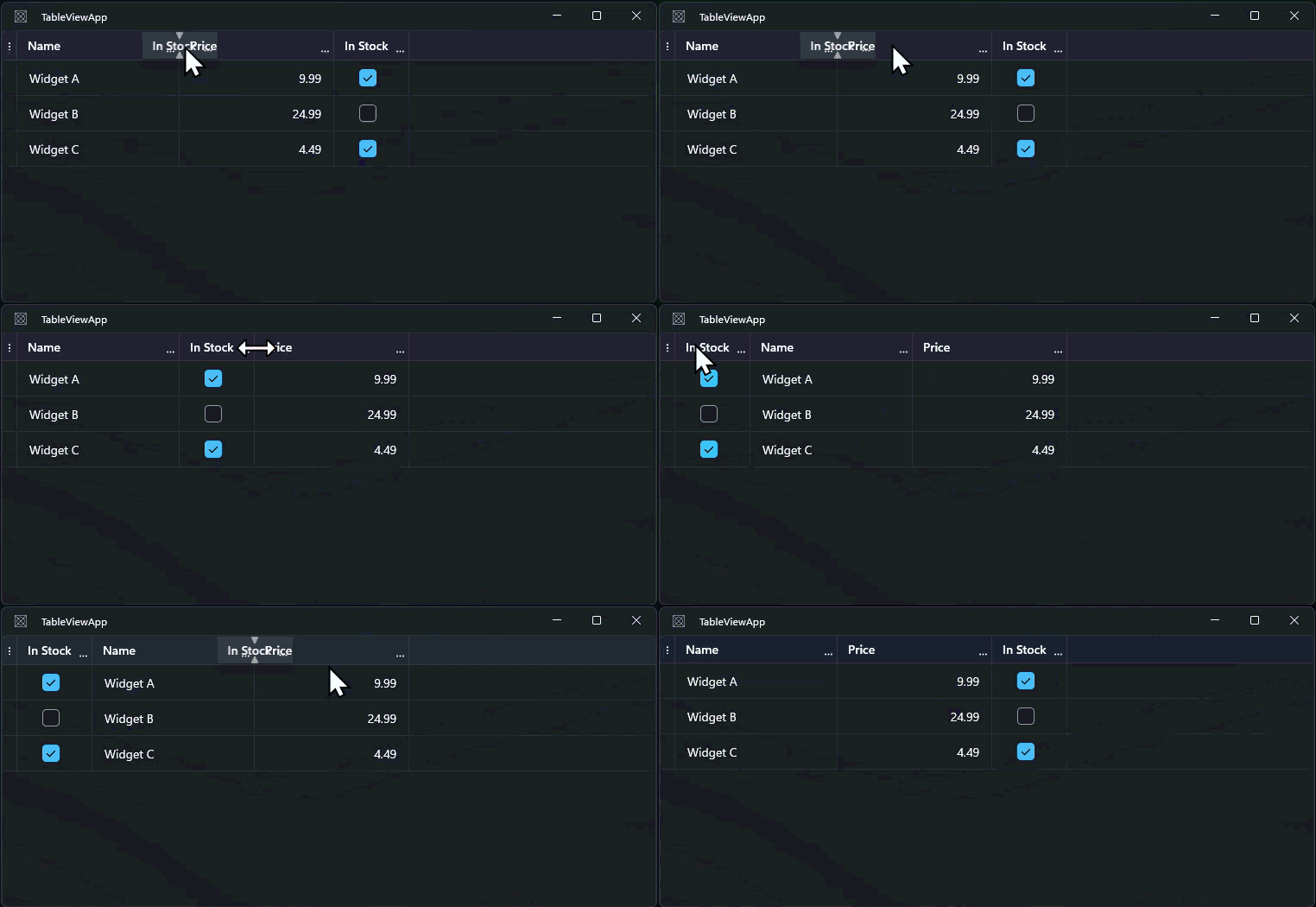
Users can drag column headers to rearrange the columns in any order. This is enabled by default.
When to use it
Enable column reordering in data-heavy applications where different users may prefer different column orders for their workflow. For example, a sales rep might want the customer name first, while an accountant might prefer the order total first.
Basic example
Column reordering is enabled by default:
<tv:TableView ItemsSource="{x:Bind Products}" />
Users can drag any column header to a new position.
Disabling reordering
Disable reordering for all columns:
<tv:TableView CanReorderColumns="False" />
Disable reordering for a specific column while allowing it for others:
<tv:TableViewTextColumn Header="ID" Binding="{Binding Id}" CanReorder="False" />
Reordering events
ColumnReordering
Fires before a column is moved. Set e.Cancel = true to prevent the move:
tableView.ColumnReordering += (s, e) =>
{
    // Prevent moving the ID column
    if (e.Column.Header?.ToString() == "ID")
    {
        e.Cancel = true;
    }
};
TableViewColumnReorderingEventArgs properties:
| Property | Description |
|---|---|
Column |
The column being moved |
Cancel |
Set true to prevent the reorder |
ColumnReordered
Fires after a column has been successfully moved:
tableView.ColumnReordered += (s, e) =>
{
    Console.WriteLine($"Column '{e.Column.Header}' moved to index {e.Index}");
};
TableViewColumnReorderedEventArgs properties:
| Property | Description |
|---|---|
Column |
The column that was reordered. |
Index |
The column's new index in the collection |
Setting column order programmatically
Use the Order property on each column to set the display order:
<tv:TableViewTextColumn Header="Name"  Binding="{Binding Name}"  Order="0" />
<tv:TableViewTextColumn Header="Email" Binding="{Binding Email}" Order="1" />
<tv:TableViewTextColumn Header="Phone" Binding="{Binding Phone}" Order="2" />
Or reorder by moving columns in the Columns collection in code:
var column = tableView.Columns[3];
tableView.Columns.Move(3, 0); // Move column at index 3 to index 0
Common options
| Property / Event | Description |
|---|---|
CanReorderColumns |
Enables or disables drag reordering for all columns |
TableViewColumn.CanReorder |
Per-column drag reorder toggle |
TableViewColumn.Order |
Explicit display order index |
ColumnReordering |
Fires before a column is moved; can be cancelled |
ColumnReordered |
Fires after a column is successfully moved |
Notes and limitations
- Reordering changes the column's position in
TableView.Columns. TheOrderproperty, if set, may conflict with dragged positions; prefer one approach or the other. - Frozen columns cannot be dragged past the frozen boundary. See Frozen columns.