WinUI.TableView
WinUI.TableView is a lightweight and fast data grid control for WinUI apps with support for the Uno Platform. It is derived from ListView, giving it a Fluent Design look and feel, and is designed to handle large datasets efficiently.
Use WinUI.TableView when you need a tabular data display with sorting, filtering, editing, row details, and clipboard support in a WinUI or Uno Platform application.
Quick start
Install the NuGet package:
.NET CLI
dotnet add package WinUI.TableView
Or
Package Manager Console
Install-Package WinUI.TableView
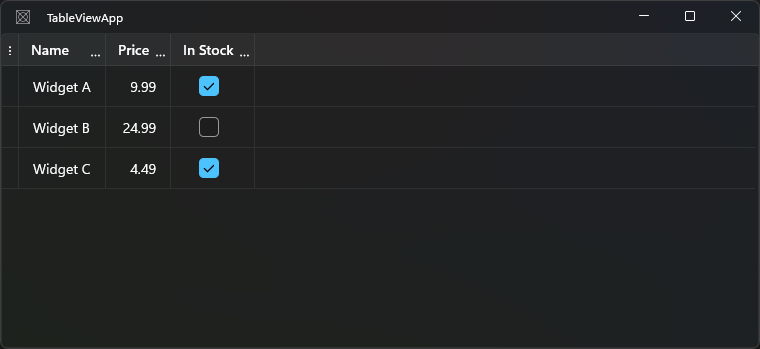
Add to your XAML:
<Grid xmlns:tv="using:WinUI.TableView">
    <tv:TableView ItemsSource="{x:Bind Products}" AutoGenerateColumns="False">
        <tv:TableView.Columns>
            <tv:TableViewTextColumn   Header="Name"     Binding="{Binding Name}" />
            <tv:TableViewNumberColumn Header="Price"    Binding="{Binding Price}" />
            <tv:TableViewCheckBoxColumn Header="In Stock" Binding="{Binding InStock}" />
        </tv:TableView.Columns>
    </tv:TableView>
</Grid>
Add the model and data to your code-behind or view model:
public ObservableCollection<Product> Products { get; } = new()
{
	new Product { Name = "Widget A", Price = 9.99, InStock = true },
	new Product { Name = "Widget B", Price = 24.99, InStock = false },
	new Product { Name = "Widget C", Price = 4.49, InStock = true },
};

public class Product
{
    public string? Name { get; set; }
    public double Price { get; set; }
    public bool InStock { get; set; }
}
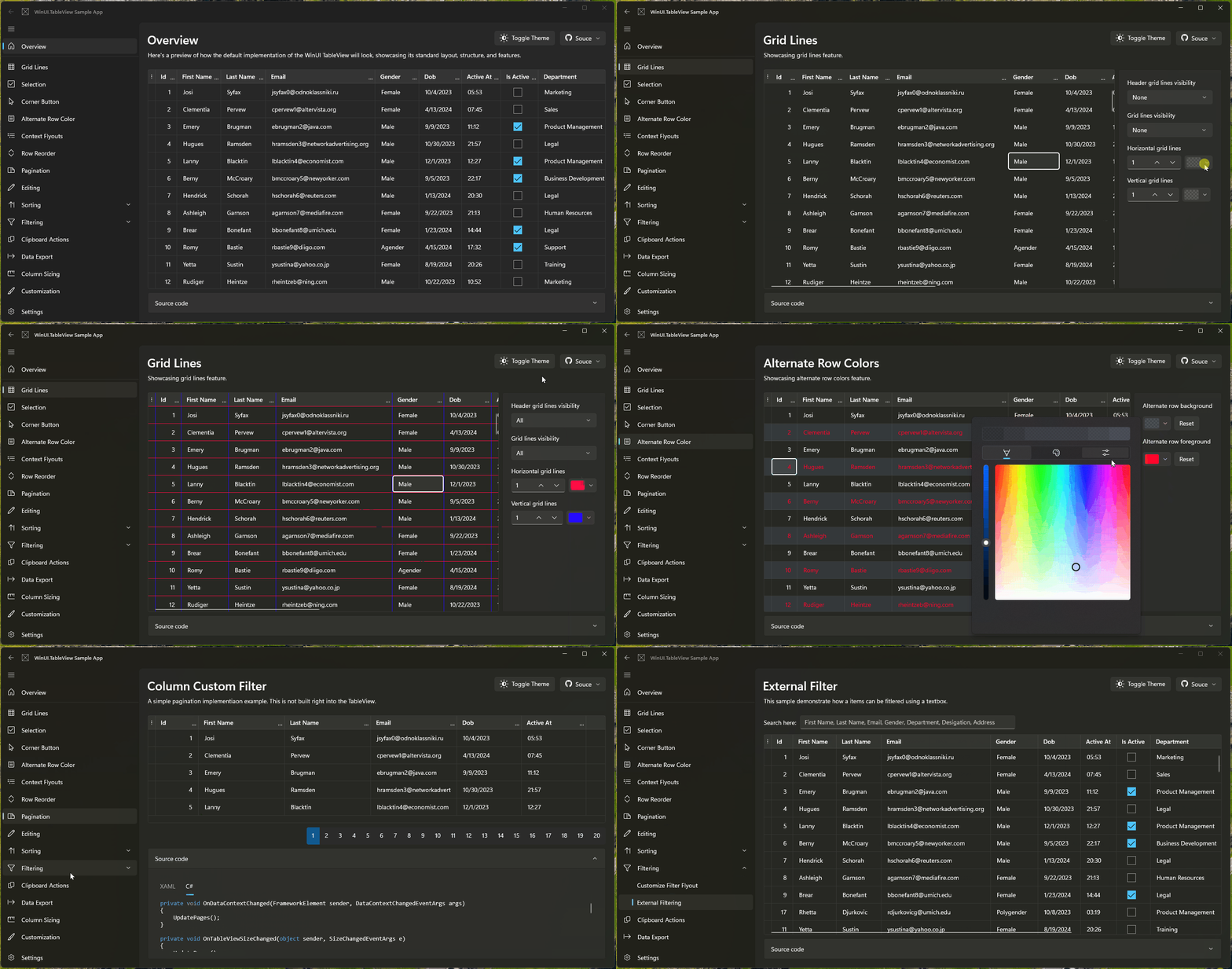
Samples App
Explore interactive samples with code snippets in the Samples App on Microsoft Store or Uno Platform WASM:


Key features
| Feature | Description |
|---|---|
| Auto-generating columns | Automatically generate columns based on the data source properties |
| Column types | Text, Number, CheckBox, ComboBox, ToggleSwitch, Date, Time, Hyperlink, Template |
| Sorting | Built-in column sorting with sort direction indicators |
| Grouping | Multi-level column grouping with expand/collapse (Windows only) |
| Filtering | Excel-like column filter flyout |
| Editing | Double-tap a cell to edit; full editing lifecycle events |
| Selection | Row, cell, or combined selection modes |
| Frozen columns | Pin columns to the left while the rest scroll |
| Row details | Expandable detail panels per row |
| Row headers | Configurable row header with custom templates |
| Clipboard | Copy and paste rows/cells; customizable content |
| CSV export | Built-in export to CSV |
| Conditional styling | Apply cell styles based on custom predicates |
| Context flyouts | Row-level and cell-level context menus |
| Styling | Grid lines, alternate rows, and custom cell/header styles |
| Column reordering | Drag columns to reorder; configurable per-column |
| Column sizing | Fixed, star, auto, and manual resize modes |
| Localization | Multiple language support |
| Uno Platform | Cross-platform: Windows, macOS, Linux, WASM, iOS, Android |
Documentation
Getting started
Migration
Uno Platform support
WinUI.TableView is compatible with the Uno Platform, enabling you to target Windows, macOS, Linux, WebAssembly, iOS, and Android from a single codebase.